Install and configure EFIDroid on the Fairphone 2
<link rel="stylesheet" href="/css/2016-11-01-Install-and-configure-efidroid.css" />
Table of contents:
About EFIDroid
EFIDroid is a relatively new multiboot solution for mobile devices. It is based on the EFI implementation by Intel (EDK2).
For more information and support, please visit to the Fairphone Forum thread.
How to install (FP2)
- Download the EFIDroid Manager app from Google Play: https://play.google.com/store/apps/details?id=org.efidroid.efidroidmanager.
- Go to **Install/Update**

- Click **Install**:

- It should be successfully installed!

Add a new ROM
- Before you do any of this you should download a ROM .zip file (for example FP Open 16.09) and put it on your SD card (`/storage/sdcard1/` and **!!NOT!!** `/sdcard`!).
- To add a ROM click the **FAB** (Floating Action Button)

- Choose in the screen `/data/media/0/multiboot` as location.

- Enter a **name** for the ROM

- You can leave the partitions as they are (Schema `LoopSystem + BindOther`) and press the **tick** in the top right corner.

- Now you can see that your newly created ROM is in the list.

- Then **reboot**

Add a system to the new ROM
Once you are in the **UEFI**, you can navigate around with **volume down** to go down, **volume up** to go up and the **power** button to confirm your selection.
- To flash a ROM the empty slot, select **TWRP (Internal)** and press **power**.

- Next select your newly created ROM

- You will land in **TWRP** and be greeted with a warning about keeping the system partition **readonly**. Swipe the slider at the bottom to acknowledge it.
- Click **Install**, select the **Micro SDcard** at the top.

- Select for example the file `fp2-sibon-16.09.0-ota-userdebug.zip`.
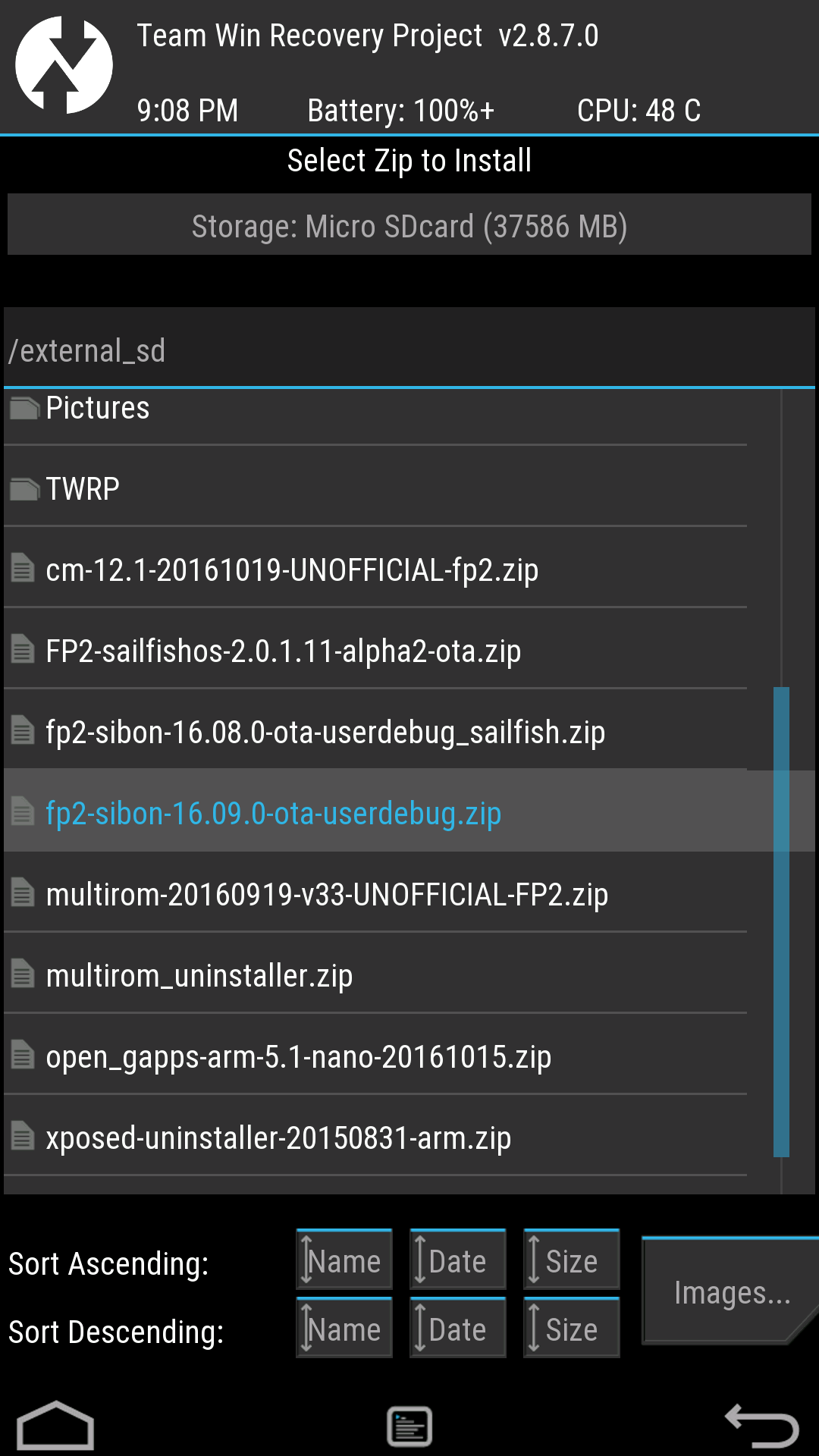
- Disable the **Zip file signature verification** and slide the confirmation bar.
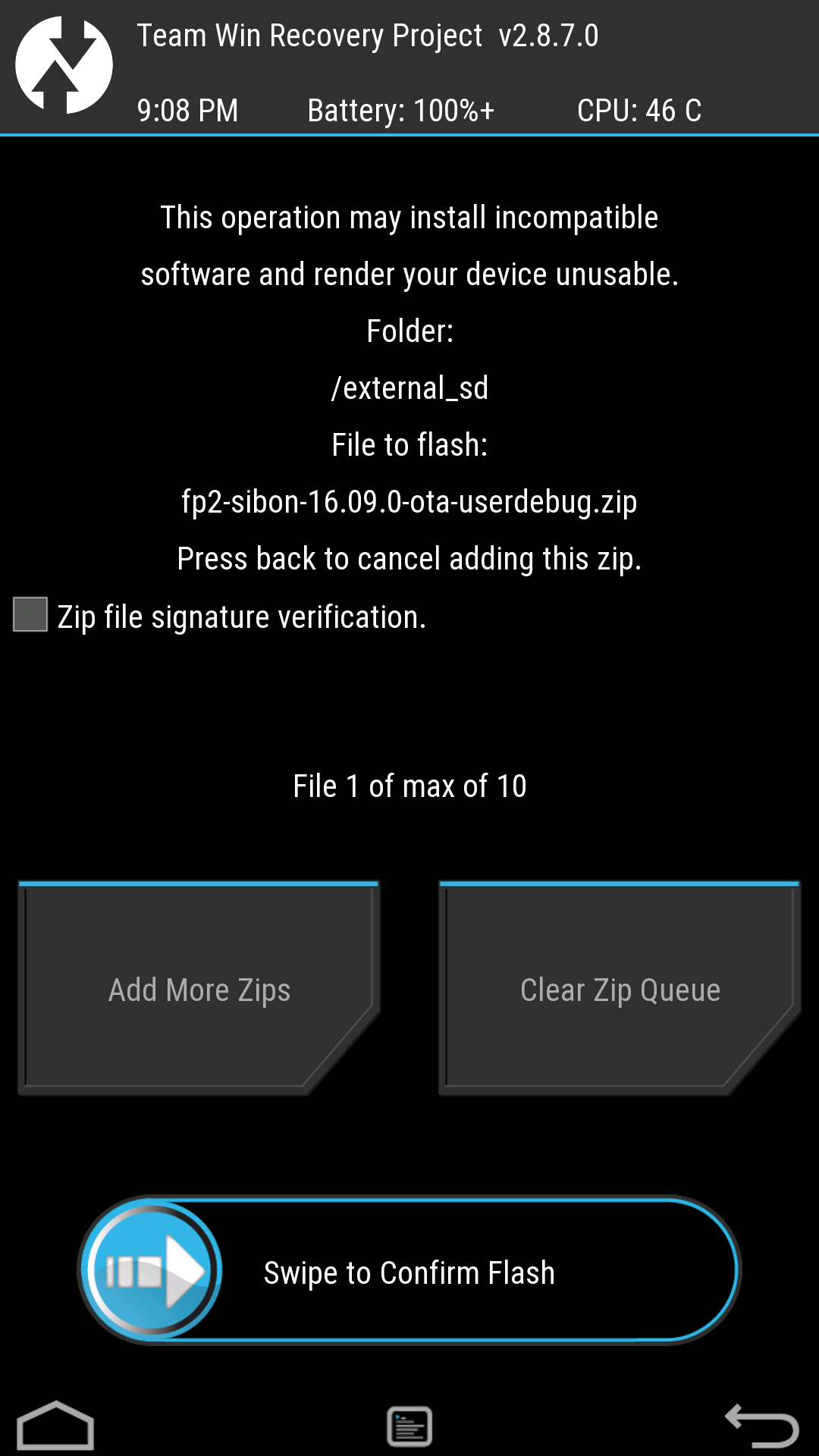
- Everything should be good and you can reboot!

Booting into your new ROM
- **Select** your new ROM and press the **power** button. *Do not be put off because of the long "Booting \<romname>" screen as FP Open plays the boot animation very late (unfortunately).*

- **Aaaand we are in!**

- *If you have questions, please ask in the Fairphone Forum thread linked at the top.**
<div class="buttons">
<div class="button" width="100" height="100" onclick="document.querySelectorAll('.toggle-image').forEach(e => e.style.display = 'none');">Disable images</div>
<div class="button" width="100" height="100" onclick="document.querySelectorAll('.toggle-image').forEach(e => e.style.display = '');">Enable images</div>
</div>