capsule.adrianhesketh.com
Porting the Napkin Sequence Diagram Style to PlantUML
In my last post, I mentioned that I use [0] all the time to draw sequence diagrams and I wondered whether I could find a good offline alternative.
With a bit of Googling, I found the open-source [1] tool. PlantUML uses the same syntax (maybe inspired by Web Sequence Diagrams), so I've been able to reproduce all the diagrams minus the branding at the bottom locally instead.
By default, the results aren't pretty:
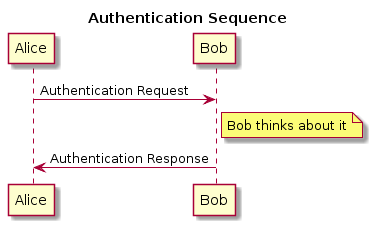
Fortunately, PlantUML has recently been updated to include a handwritten style [2] and with a bit of tinkering, I was able to put together a style similar to the Napkin style from Web Sequence Diagrams. I decided I liked the subtle shading on PlantUML so I left that change in.
This was thanks to a 7-year old blog post from Steve Hanov (the creator of Web Sequence Diagrams) [3] where he links to the FG Virgil font (I couldn't find the font using font analysis websites).
Steve's post also includes a public domain implementation of the "crazyline" algorithm he used to make the lines look hand-drawn which is cool. His blog is worth a read.
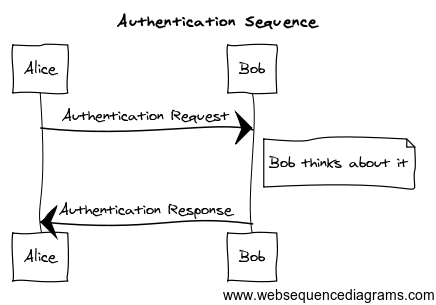
Anyway, here's what the results look like:
Web Sequence Diagrams
PlantUML
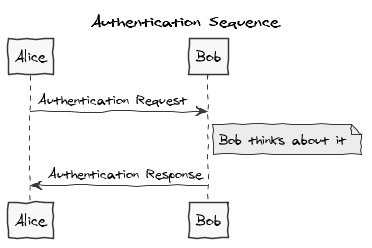
To use PlantUML, you need GraphViz [4] installed, then you can run the following command line against the authentication.txt example shown below to make a PNG in the same directory. Make sure you've installed the FG Virgil font first, or the text will render in the wrong font.
java -jar plantuml.jar authentication.txt
@startuml
' http://plantuml.com/skinparam.html
skinparam handwritten true
skinparam monochrome true
skinparam packageStyle rect
skinparam defaultFontName FG Virgil
skinparam shadowing false

title Authentication Sequence

Alice->Bob: Authentication Request
note right of Bob: Bob thinks about it
Bob->Alice: Authentication Response
@enduml